Real Camera Extension for GDevelop
Real Camera Extension for GDevelop
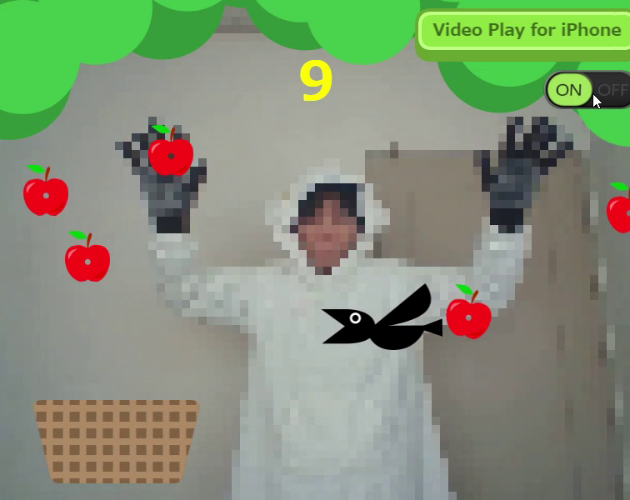
This extension provides an object that displays video from the device’s connected camera within your game.
QR code scanning is available starting from version 0.1.0.
📎Operating environment
| App | Browser | |
|---|---|---|
| Windows | ✅ | ✅ |
| MacOS | ❌ | ✅ |
| Linux | ✅ | ✅ |
| Android | ❌ | ✅ |
| iOS | ❌ | ✅ |
⚠️ Notices
- This extension works in browsers on Windows, macOS, Linux, iOS, and Android. However, on macOS and iPhone, you must press the Play button to start it.
- This extension works in desktop applications on Windows and Linux. It does not work in other environments due to permission restrictions, and it also cannot be tested in GDevelop’s preview.
- This extension does not work in Network Preview because Network Preview is not served over HTTPS.
- Scanning multiple QR codes at the same time is not supported.
- Please use UTF-8 for QR code text encoding. (Shift_JIS is not supported.)
📖 How to use
This video explains how to use the old version.
Starting from Version 0.1.0, you can modify the layout of the RealCamera object using GDevelop’s variant feature.
Import the downloaded "RealCamera0.0.0.json" file into your project.
🎞️ About AlternativeVideo files
The RealCamera object requires a temporary video file. The RealCamera object attempts to launch the camera at the same resolution as the video. If the camera does not support that resolution, it will fail to launch.
I have prepared video files of common resolutions for your use.
- 640 x 480: resolution supported by most cameras
- 1280 x 720: higher resolution with 16:9 ratio
- 480 x 640: For smartphones in portrait orientation
- 720 x 1280: For smartphones in portrait orientation
📂 Example project file
"RealCameraExtensionExample0.0.0.zip" is the example project file. Open "RealCamera Extension Example.json" in GDevelop.
List of examples included in the project file.
- Basic Example
- Camera Control Example
- Video Sensing Example
- Snapshot Example
- QR code Example [Added in v 0.1.0]
🧩 Recommended Extensions
- Read pixels: @Bouh
- Record: @Add00
📜 License
“QR Code” is a registered trademark of DENSO WAVE INCORPORATED.
This extension includes portions of jsQR (https://github.com/cozmo/jsQR),
which is licensed under the Apache License 2.0.
Copyright (c) Cosmo Wolfe.
You may obtain a copy of the Apache License at:
http://www.apache.org/licenses/LICENSE-2.0
🍩 Donation
If you enjoy this extension, please consider downloading the Example project file to maintain this extension. (The Example project file will surely help you.😉)

Download
Click download now to get access to the following files:
Development log
Comments
Log in with itch.io to leave a comment.
ChatGPT says in 99% of cases cam id 0 is the main camera and 1 is the selfie camera, but when I try my phones, it is swapped..
Maybe you can add an action that lets you set the desired camera without the user having to manually choose between numbers. It should be possible with CameraCharacteristics.LENS_FACING_BACK / FRONT
great, can you give more guidance on Video Sensing example? Couldn't find the file
will it eventualy have android apk suport? cause it can be used along with chat gpt and other api integrations to create lots of apk concepts.
I love this extension! I test it with applications like "code reader"
Very nice work, and I'm waiting for more upgrades!
How did you do that? It's great, how could you make gdvelop know what color is on the screen? :O
Thank you! I achieved that by utilizing the 'Read Pixel' extension. This extension allows me to capture the RGB values of specific points on the screen. Essentially, it reads the color information pixel by pixel at designated locations in the image. By leveraging this capability, I can accurately determine the colors present on the screen and incorporate that data into my development process.
Thanks Michael J, it was very useful to be able to move the player using the color change by filters to select the color of my hand :) it is not perfect but I think it works

Incredible! How did you get GDevelop to detect the hand position? Does it require a lot of machine resources?
can you share how you got this work? Thank you
Xanks! :)
Noice job! Like to see extensions like these being added! Keep up the good work :D
seems pretty cool, will check out later